

Common questions answered in this guide:
How do I activate my ZbigZ Premium service for the first time using an activation coupon?
How do I renew or extend an expired ZbigZ Premium membership with a voucher code?
The activation steps are identical whether you are setting up a brand-new ZbigZ Premium account or extending an existing membership.
Follow the simple visual guide below to redeem your coupon code and unlock unlimited high-speed cloud downloads.
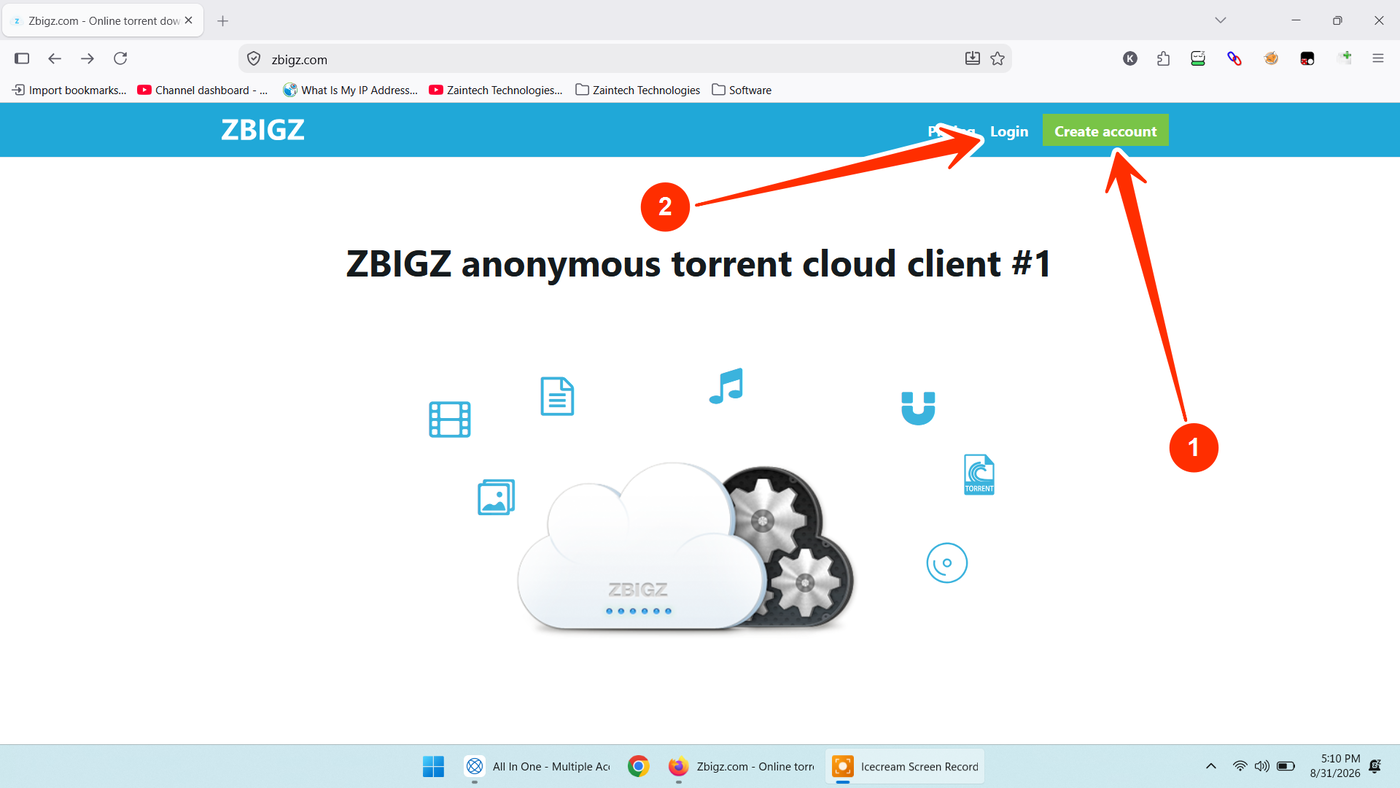
Step 1: Visit the ZbigZ Website and Sign In or Register
Open your browser and visit the official website:
For New Users: Click the green "Create account" button (shown by arrow 1) to register your new account.
For Existing Users: Click the "Login" link (shown by arrow 2) to sign in to your current account.
Step 2: Open the Pricing Section
Once you are signed in to your main dashboard:
Look at the top navigation bar next to your profile avatar.
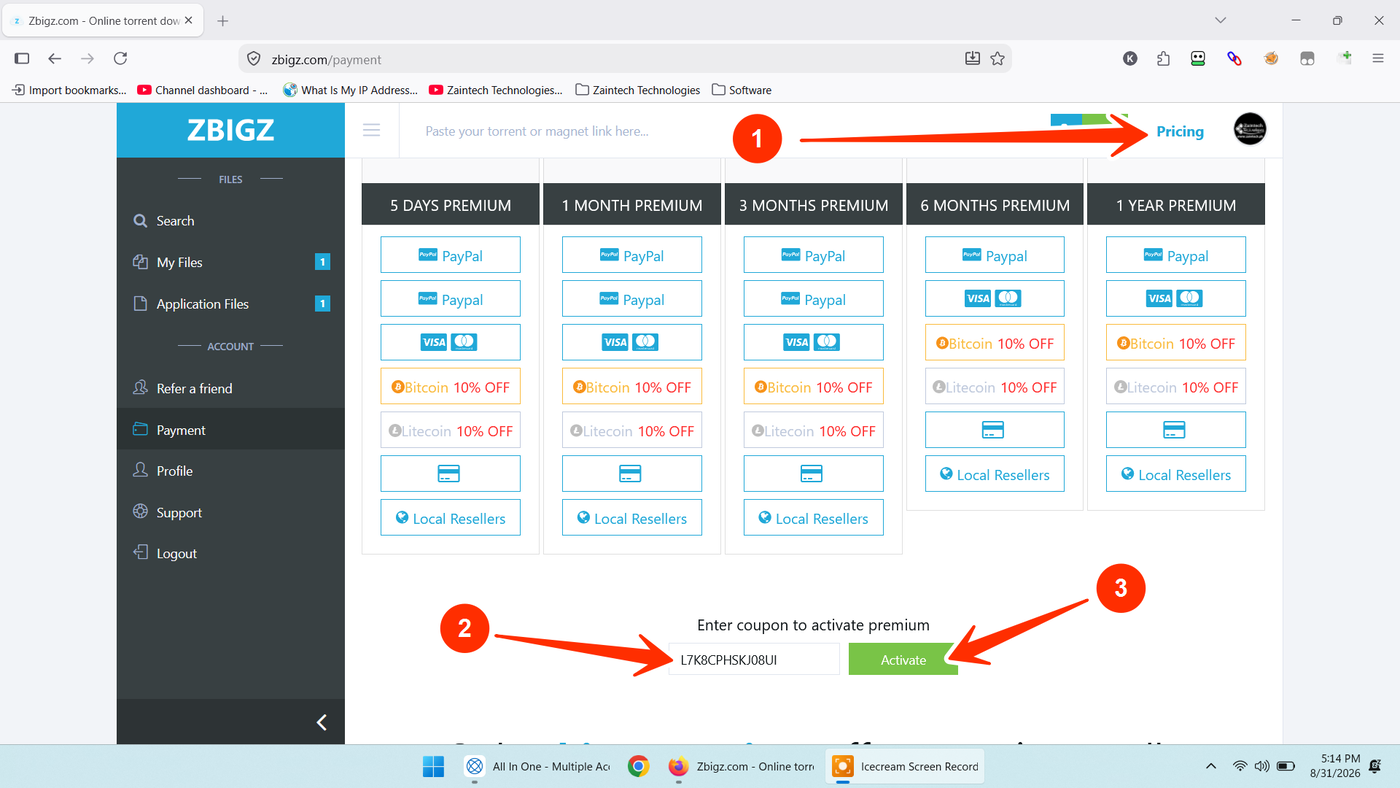
Click on the "Pricing" link (shown by arrow 1) or navigate directly to https://zbigz.com/payment
Step 3: Enter Your Coupon Code & Activate Premium
Scroll down directly below the pricing plans table:
Locate the box titled "Enter coupon to activate premium".
Carefully paste or type your official activation code (shown by arrow 2) into the field.
Tip: Make sure there are no accidental spaces before or after the code.
Click the green "Activate" button (shown by arrow 3).
Your ZbigZ Premium subscription will be instantly credited to your account, giving you immediate access to unrestricted download speeds, direct streaming, and cloud storage.
Need Help or Have Questions?
If your coupon code displays an error or you need assistance with your order, reach out to our customer support team with your Order ID:
WhatsApp Support: https://z-t.biz/whatsapp
Telegram Support: https://z-t.biz/telegram