

Common questions answered in this guide:
How do I activate my TezFiles Premium service for the first time using an activation coupon?
How do I renew or extend an expired TezFiles Premium membership with a voucher code?
The redemption steps are identical whether you are setting up a brand-new TezFiles account or renewing an existing premium plan.
Follow the step-by-step visual guide below to redeem your reseller voucher code and unlock maximum cloud download speeds.
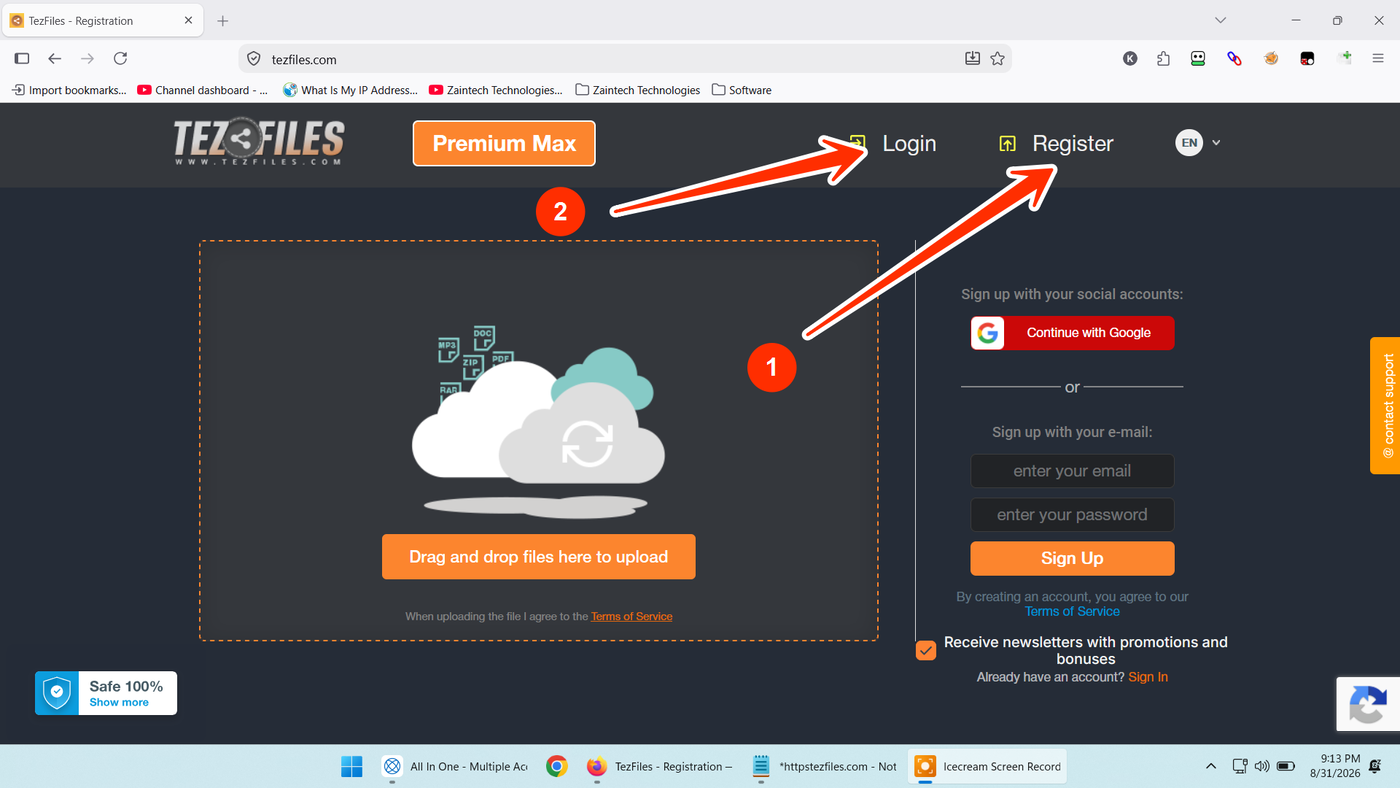
Step 1: Open TezFiles & Sign In or Register
Visit the official TezFiles website:
New Users: Click the "Register" button (arrow 1) to create an account with your email or Google account.
Existing Users: Click the "Login" button (arrow 2) to sign into your existing account.
Step 2: Click on Upgrade
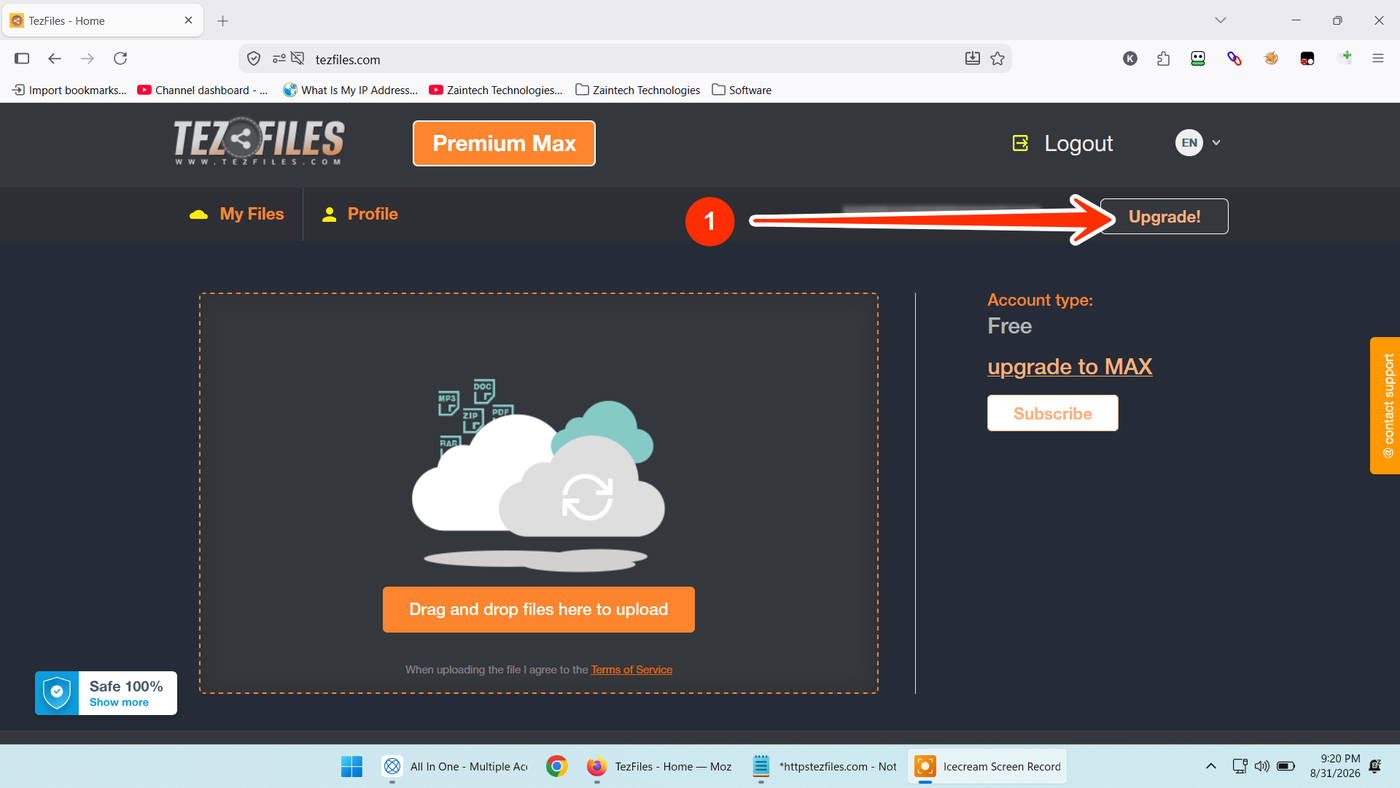
Once you are signed in to your account dashboard:
Locate the "Upgrade!" button in the upper-right section (arrow 1).
Click the button to open the upgrade and payment options popup.
Step 3: Select "I have a code"
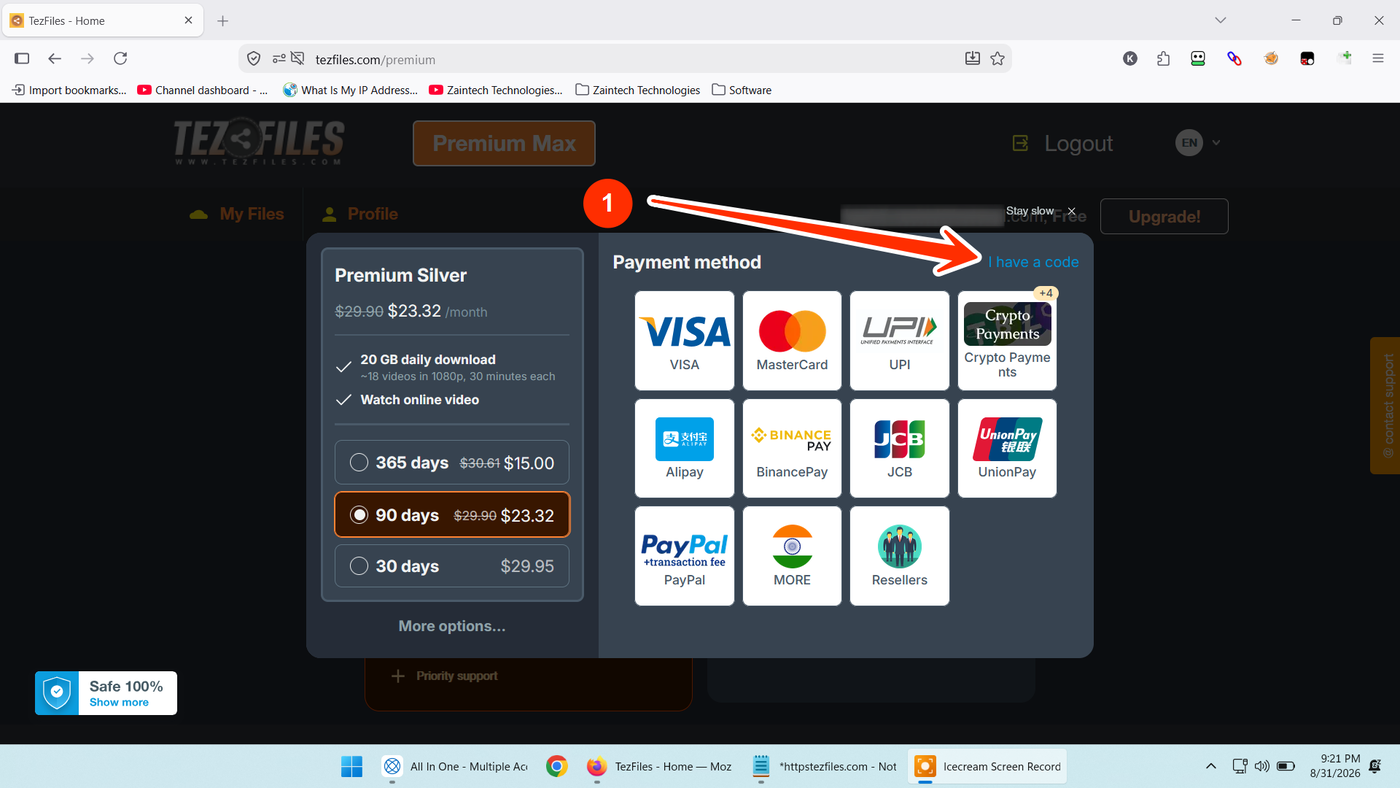
In the payment popup window that appears:
Look at the top-right section above the payment methods.
Click the blue text link that says "I have a code" (arrow 1).
(Direct Shortcut: You can also navigate directly to the activation page at https://tezfiles.com/reseller-code while signed in).
Step 4: Enter Your Reseller Code & Activate
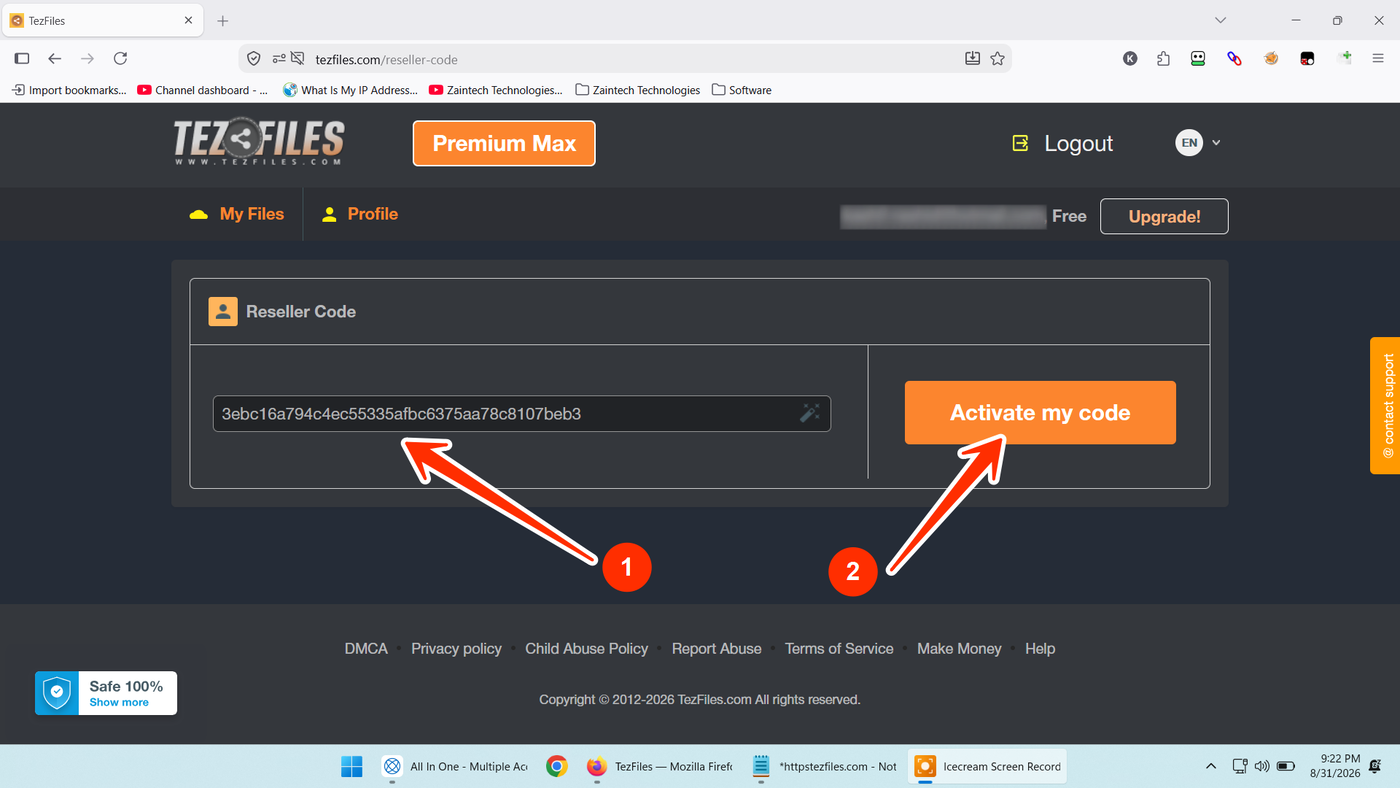
On the Reseller Code page:
Enter or paste your official activation key into the input field under Reseller Code (arrow 1).
Tip: Make sure there are no extra spaces before or after the code.
Click the orange "Activate my code" button (arrow 2).
Your TezFiles Premium access will be credited instantly to your account, giving you maximum download speeds, unlimited bandwidth, and parallel download capabilities.
Need Help or Have Questions?
If you run into any issues while redeeming your code, reach out directly to our support team with your Order ID:
WhatsApp Support: https://z-t.biz/whatsapp
Telegram Support: https://z-t.biz/telegram