

Common questions answered in this guide:
Can I pay for my order directly from my KuCoin account balance?
How do I use KuCoin Pay on the MixPay checkout gateway?
Do I need to pay blockchain network gas fees when using KuCoin Pay?
What should I do after completing my KuCoin payment to ensure rapid order delivery?
If you hold an active account on KuCoin, you can settle your order with Zaintech Technologies instantly with zero on-chain gas fees using KuCoin Pay via our secure MixPay merchant gateway.
Follow the visual walkthrough below to scan and authorize your payment in seconds.
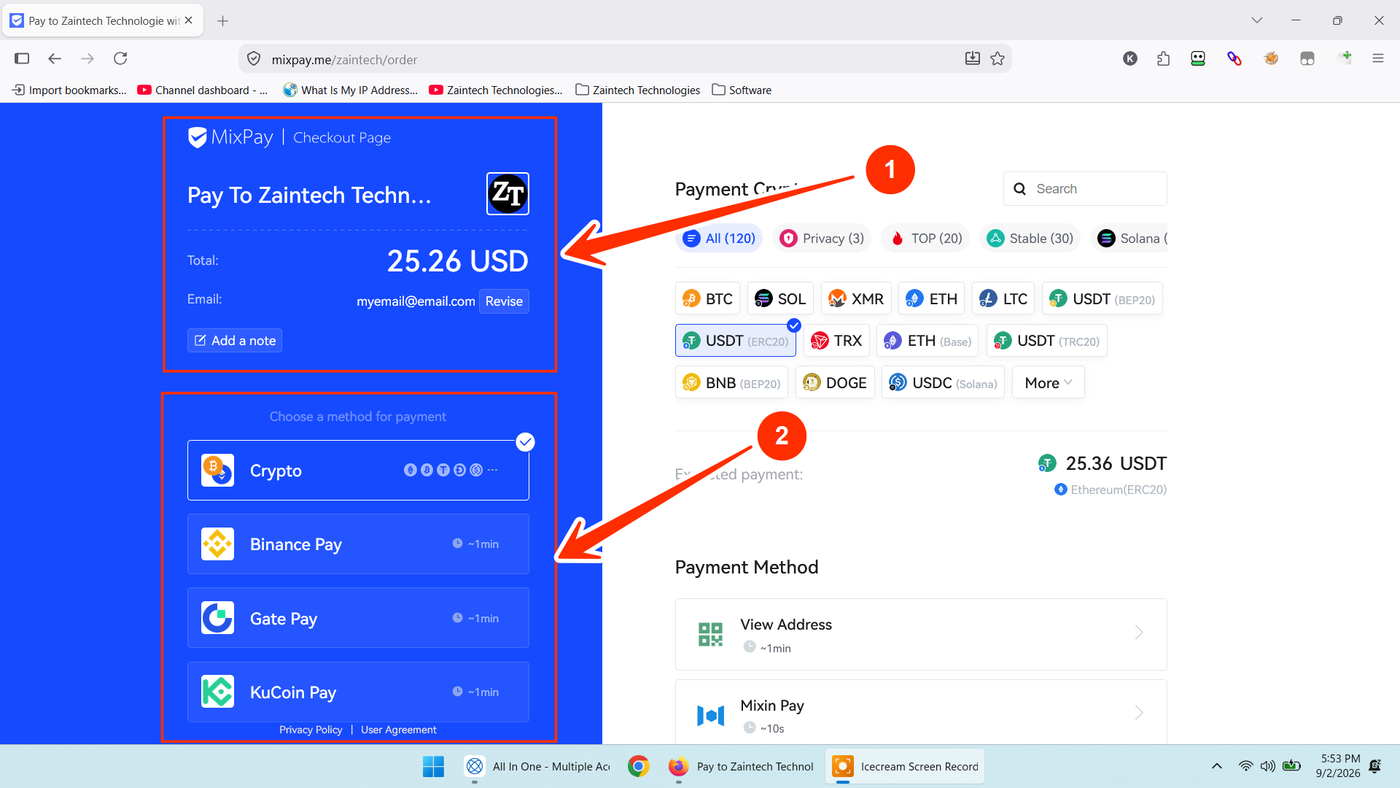
Step 1: Verify Order Details on the MixPay Checkout Screen
When you are redirected to MixPay from the Zaintech Technologies checkout:
Verify Merchant Details: Confirm that the top-left area indicates "Pay To Zaintech Technologies" along with our official logo.
Review Amount & Email: Check the total USD amount and verify your contact email address (a payment receipt will be sent here upon successful settlement).
Locate KuCoin Pay: Look at the left panel under "Choose a method for payment" and find the KuCoin Pay option.
Step 2: Select KuCoin Pay and Complete Mobile Checkout
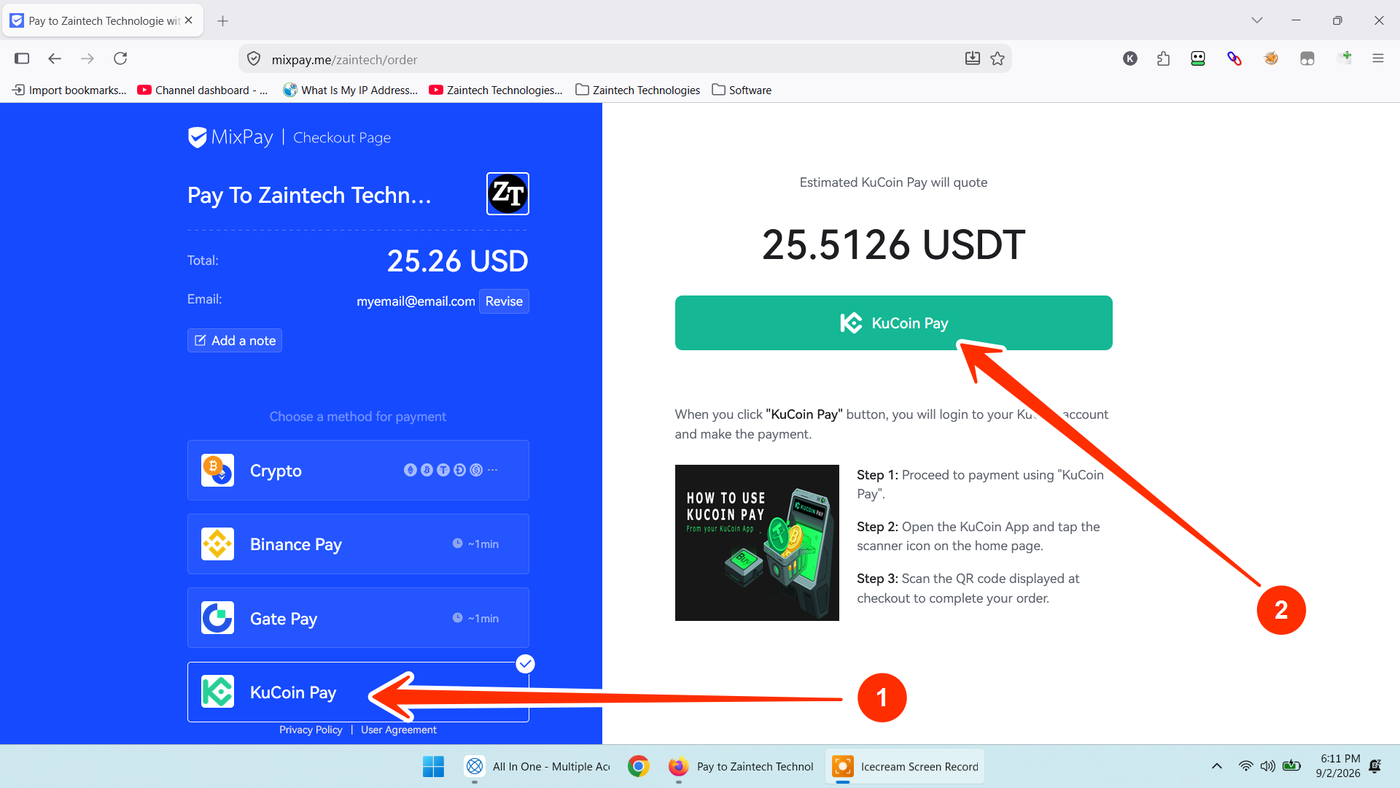
Click on "KuCoin Pay" in the payment methods list on the left (arrow 1).
Review the estimated USDT equivalent quote on the right panel and click the green "KuCoin Pay" button (arrow 2).
Complete the checkout through your mobile app:
Step 1: Open the KuCoin App on your smartphone.
Step 2: Tap the Scanner icon located at the top of the home screen.
Step 3: Scan the QR code displayed on your checkout screen and authorize the transaction using your trading password or biometric verification.
Because the payment executes internally on the KuCoin network, funds clear instantly without waiting for blockchain network confirmations.
Step 3: Share Confirmation for Instant Dashboard Delivery
To help our authorization team verify your transaction and release your order within 5 to 10 minutes:
Take a screenshot of the completed payment screen in your KuCoin App.
Copy your KuCoin Order ID / Transaction ID as plain text. Providing the text alongside the screenshot helps our team look up and verify your payment immediately without manual typing errors.
Send your Zaintech Order ID, screenshot, and transaction text to our support channels:
WhatsApp Support: https://z-t.biz/whatsapp
Telegram Support: https://z-t.biz/telegram
Once verified, your official software license keys or redeem codes will be immediately available inside your website account dashboard.