

Applies to: Zaintech.pk and 247giftcards.store
Both websites operate on the exact same system. The steps below work identically whether you are browsing on Zaintech.pk (default in PKR) or 247giftcards.store (default in USD).
How to Change Currency on a Mobile Device
If you are using a smartphone or tablet, follow these simple steps:
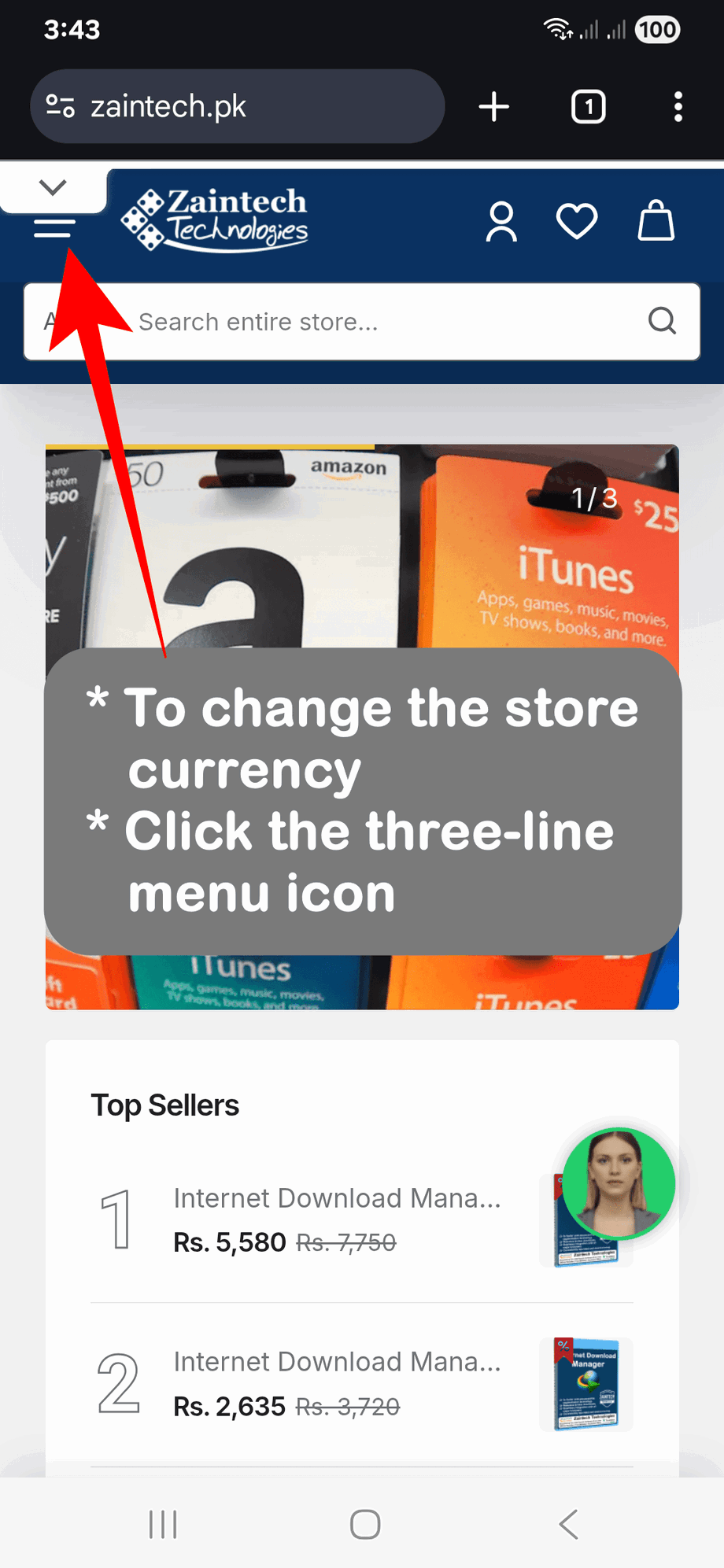
Open the Menu: From any page on the website, tap the three-line menu icon (☰) at the top.
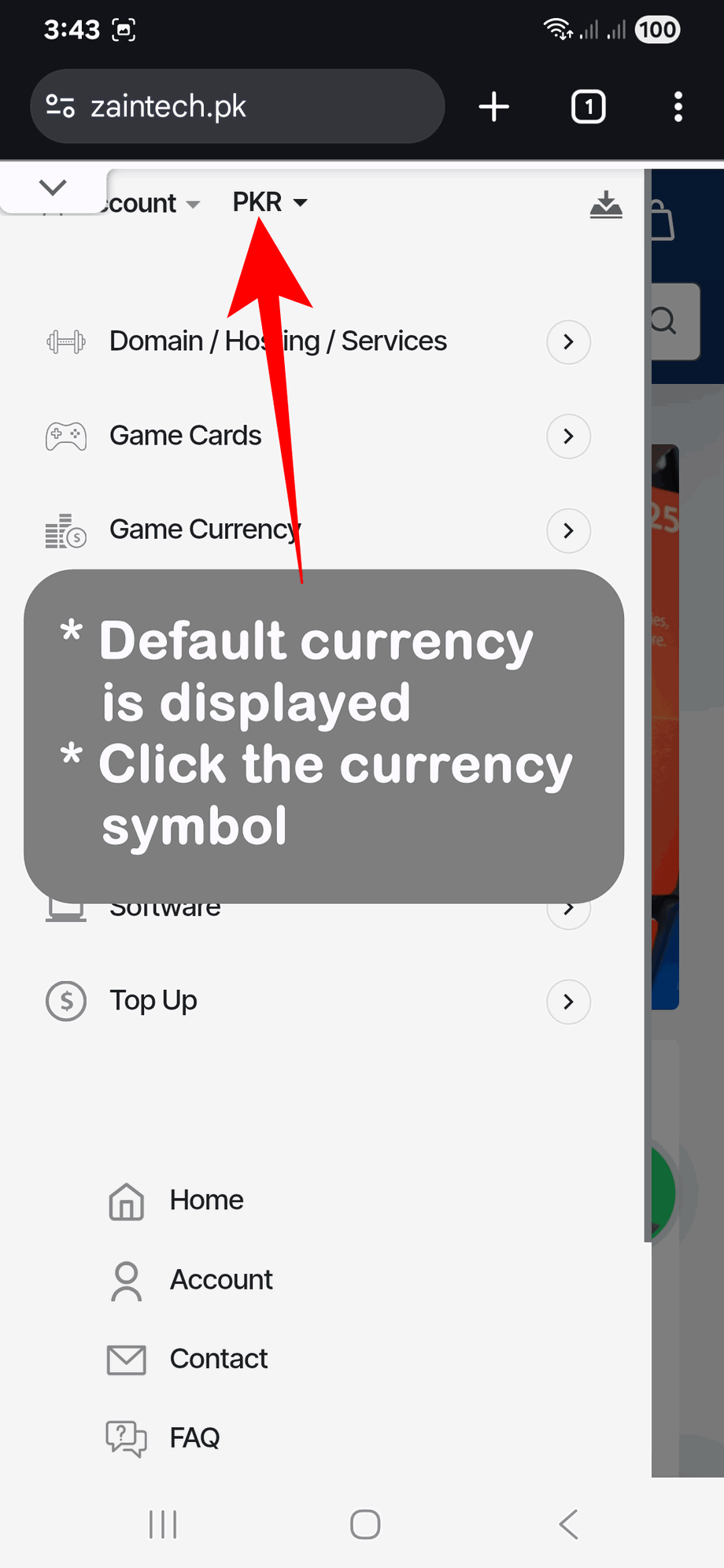
Locate the Currency Option: Find the current currency code or symbol (for example, USD or PKR).
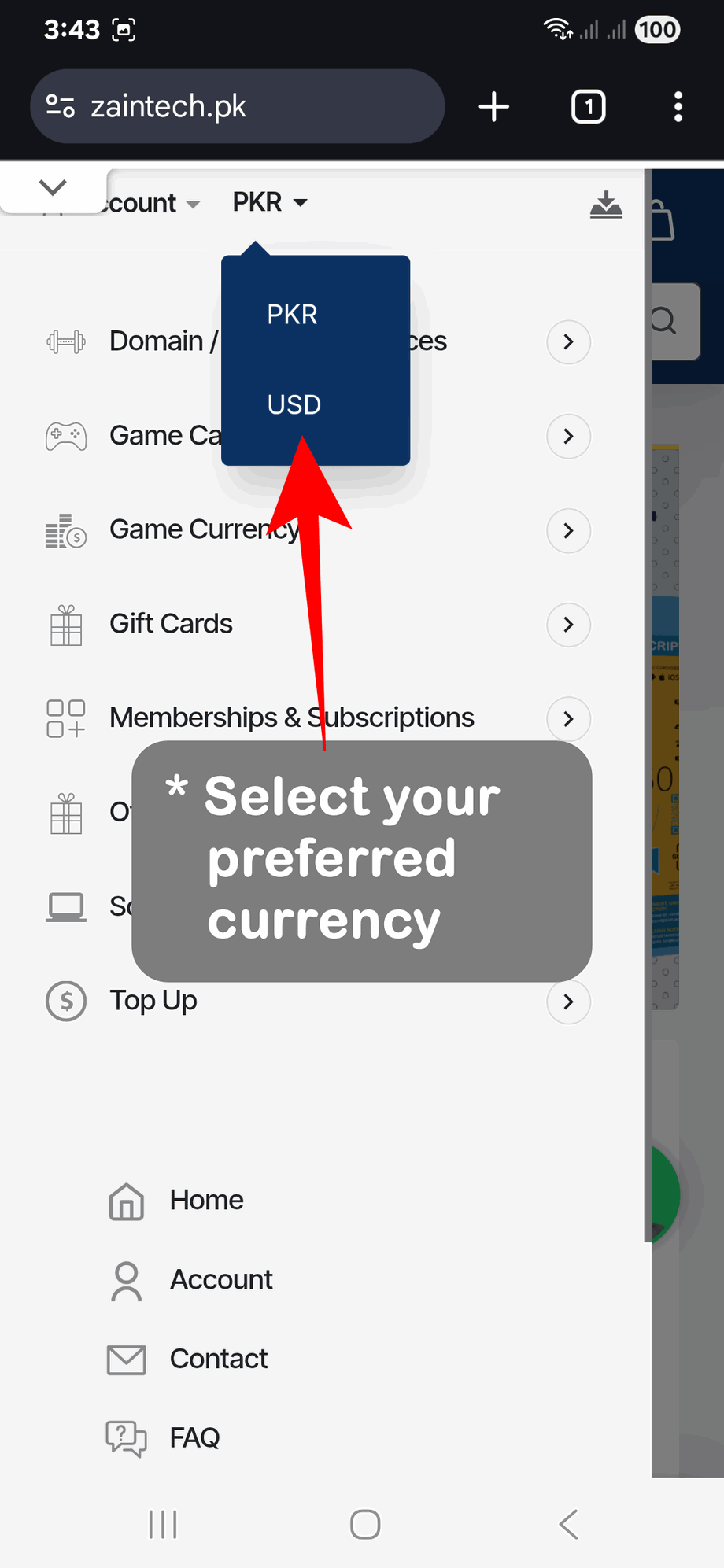
Select Your Currency: Tap the currency symbol to open the list, then tap your preferred currency.
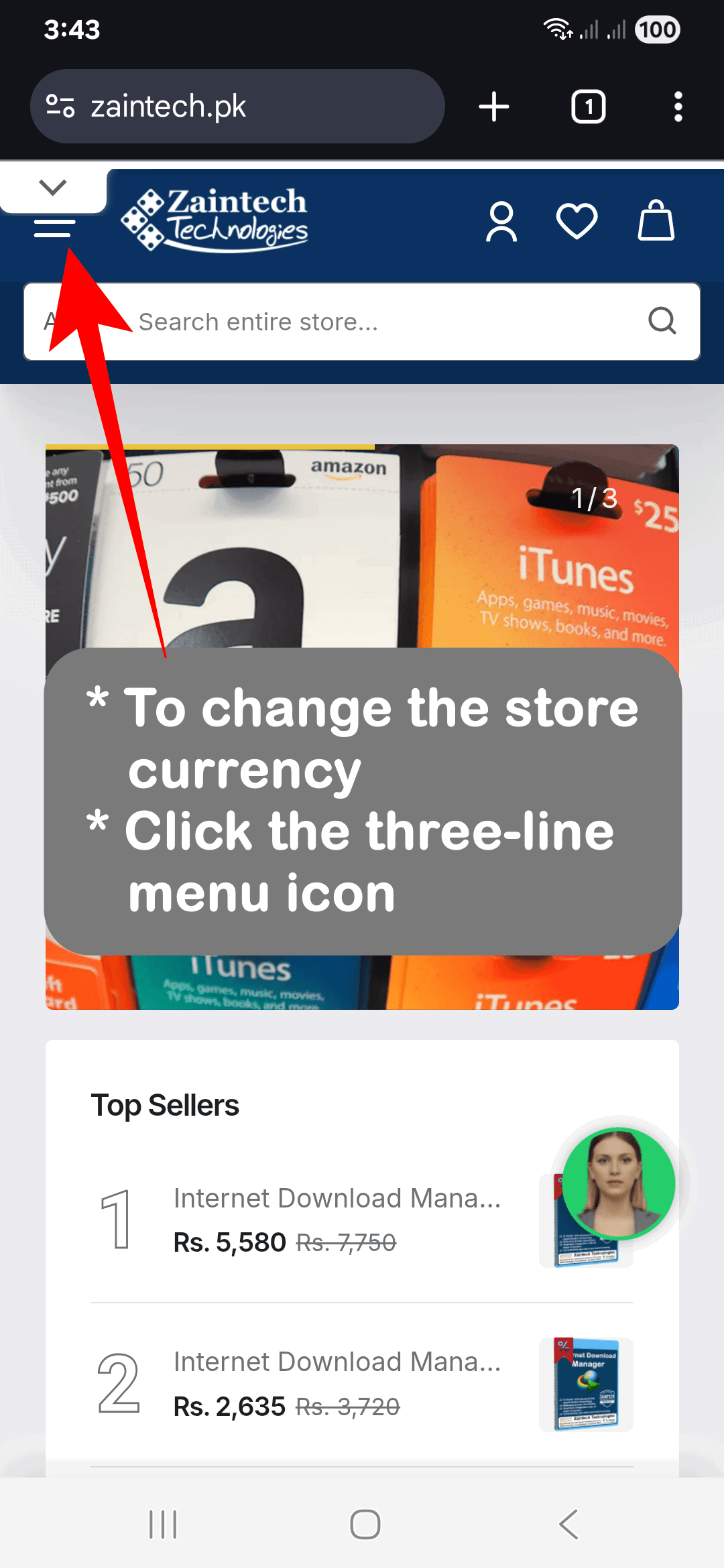
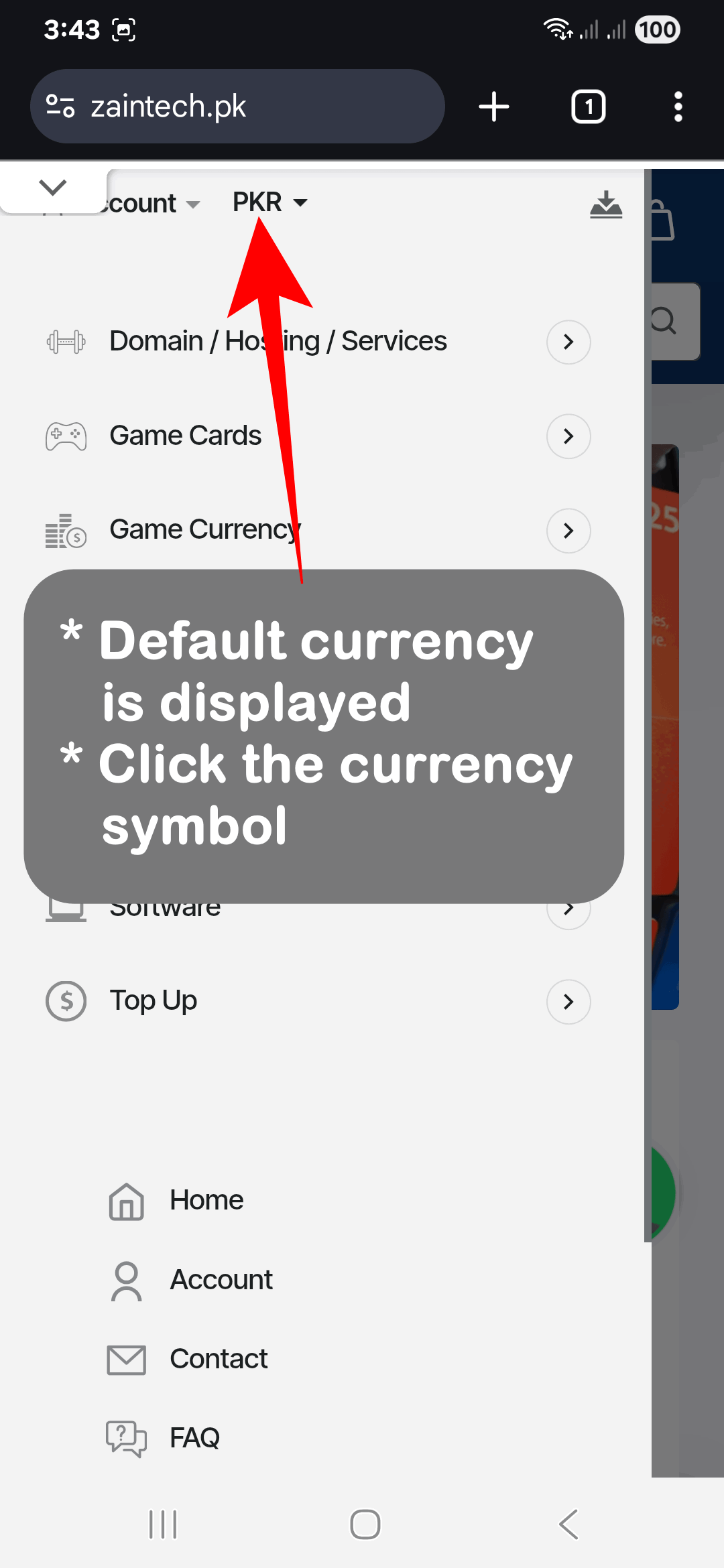
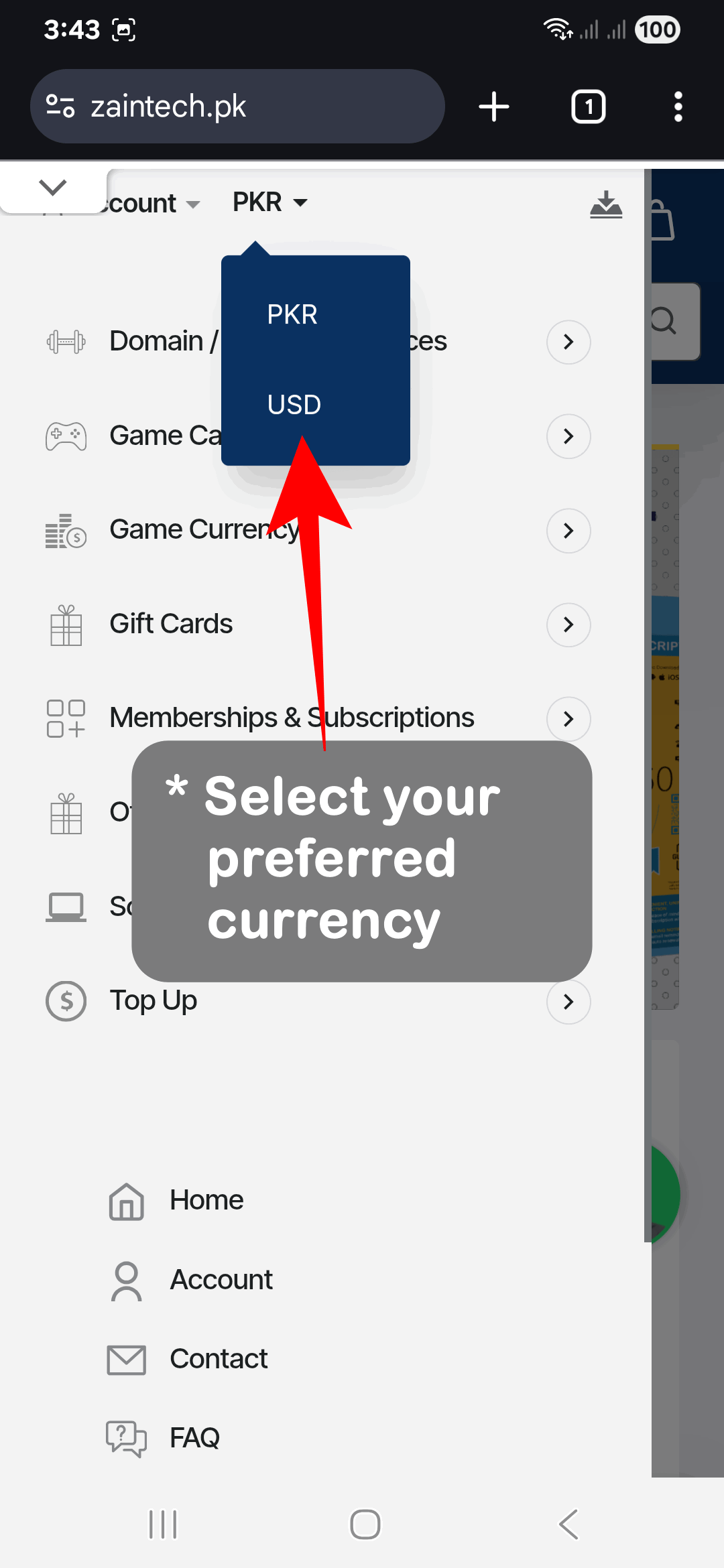
The page will refresh instantly, and all product prices will update to your selected currency.
How to Change Currency on a Computer (Desktop / Laptop)
If you are using a desktop browser or laptop, follow these steps:
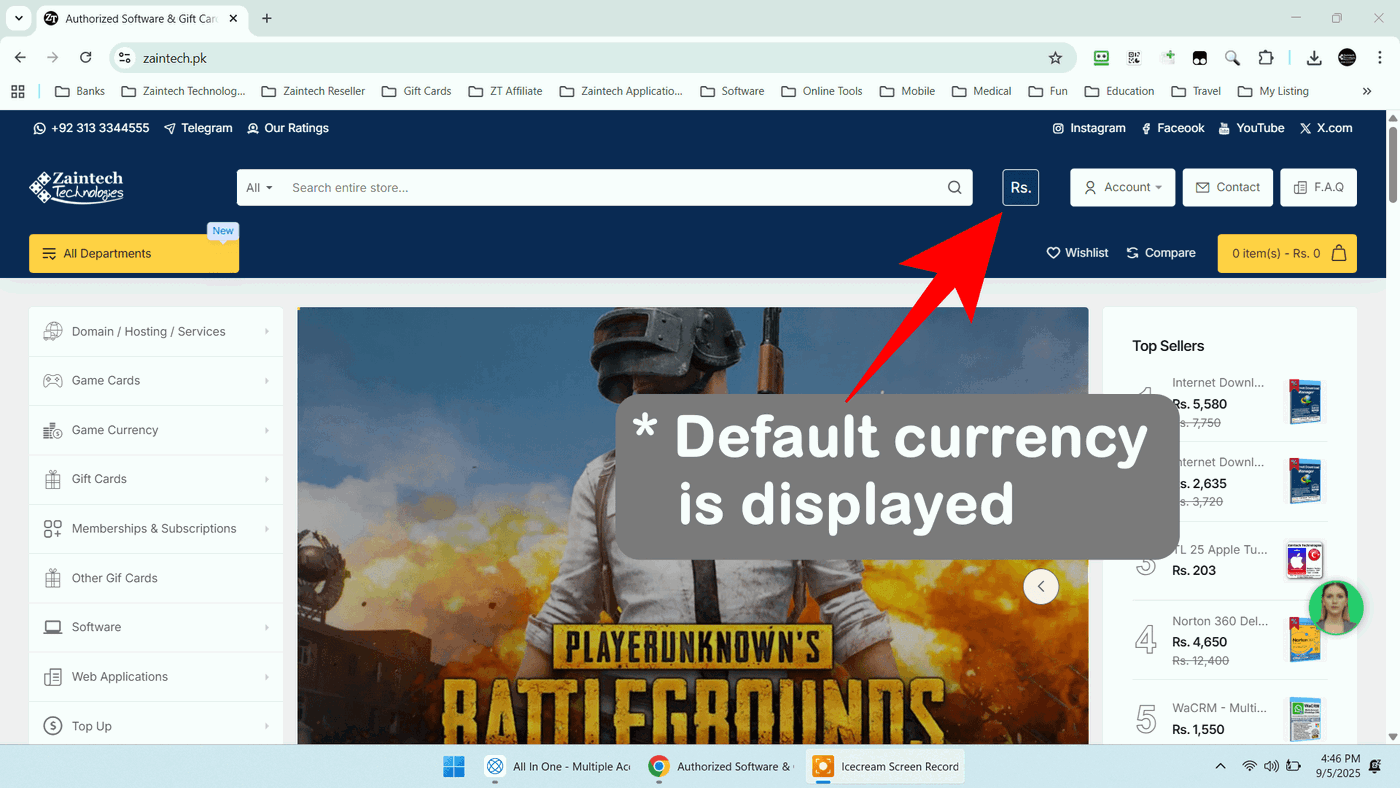
Locate the Currency Menu: Look at the top header of the website, just to the right of the search bar. You will see the current currency code or symbol (such as USD or PKR).
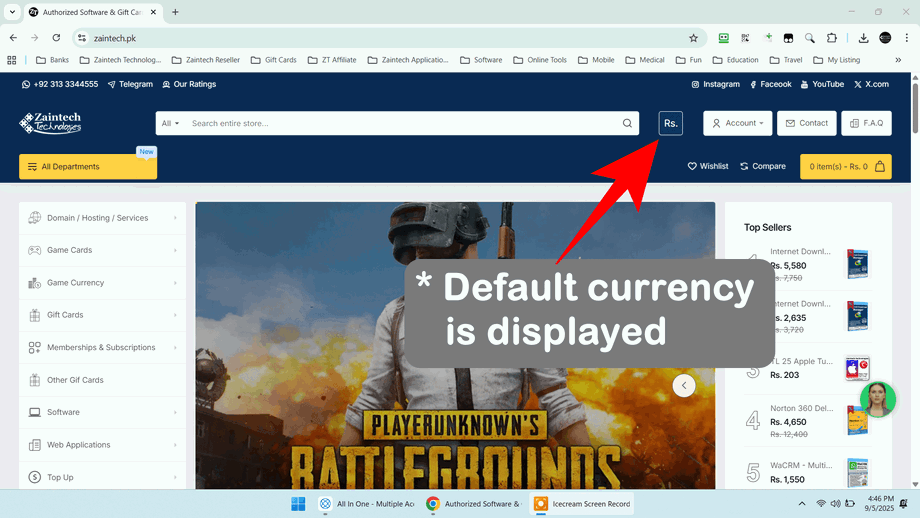
Choose Your Preferred Currency: Click on the currency symbol to open the dropdown menu, then click your desired currency from the list.
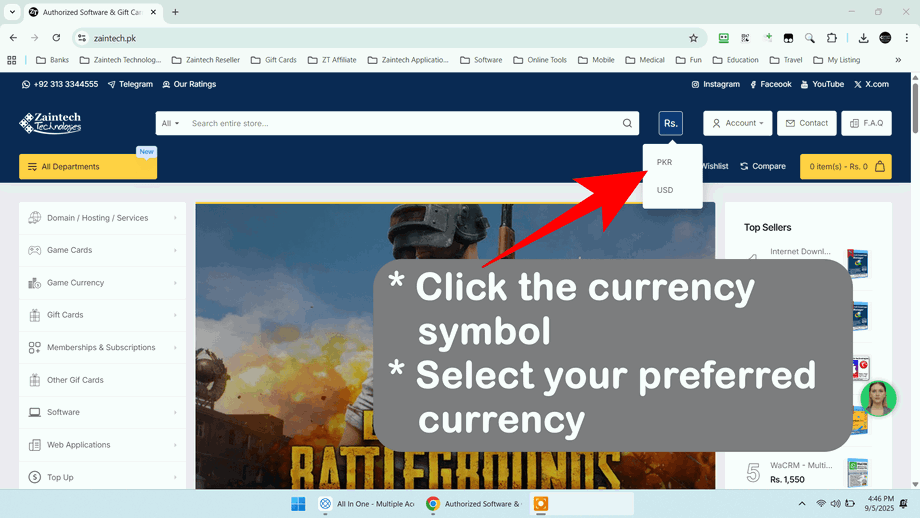
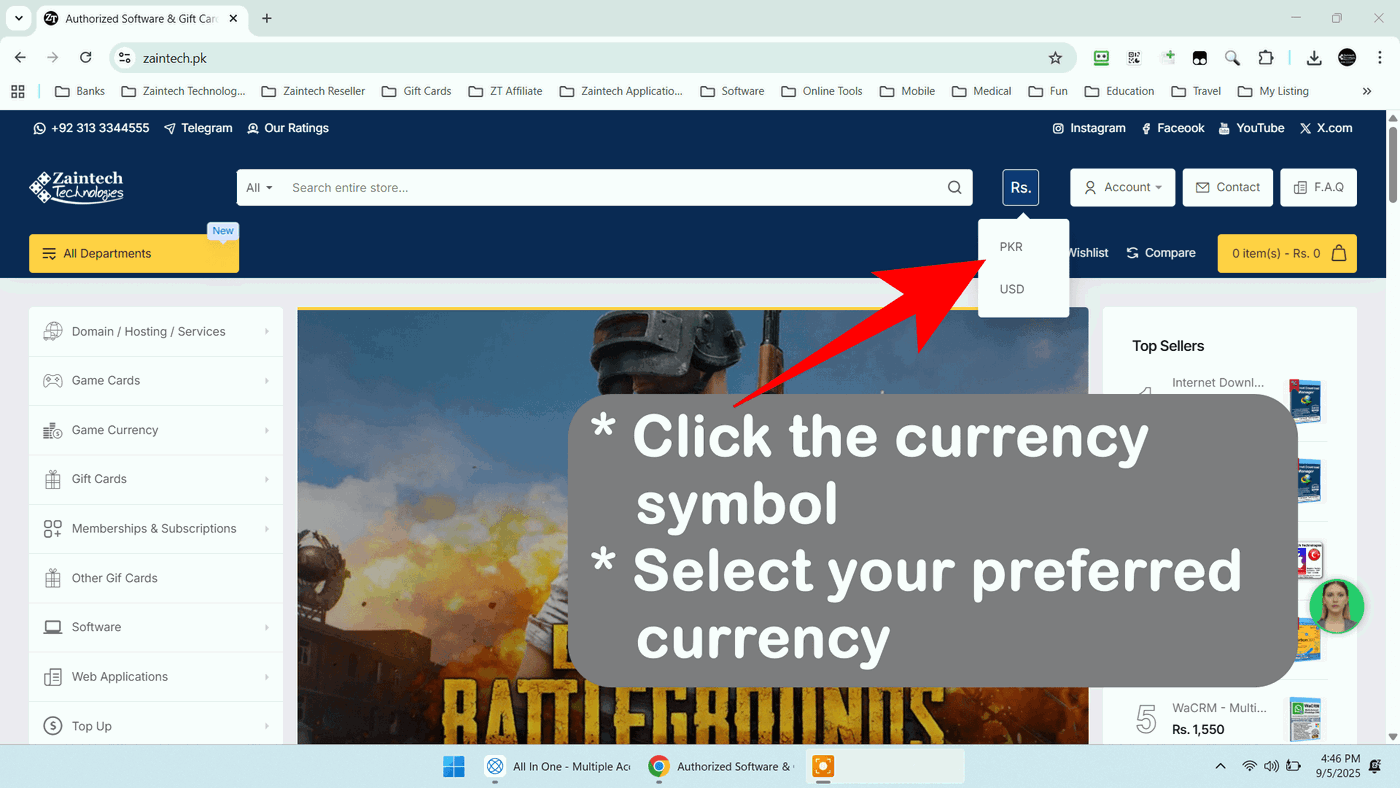
The page will reload automatically, displaying all product catalogs and checkout totals in your selected currency.
Quick Tip: Your cart total and final invoice will always match the currency you choose before checking out.