

Target Audience: This guide is intended for existing HMA VPN account holders who already have a registered email and password on HMA and want to activate a newly purchased subscription or renew an expired plan using an official reseller activation code.
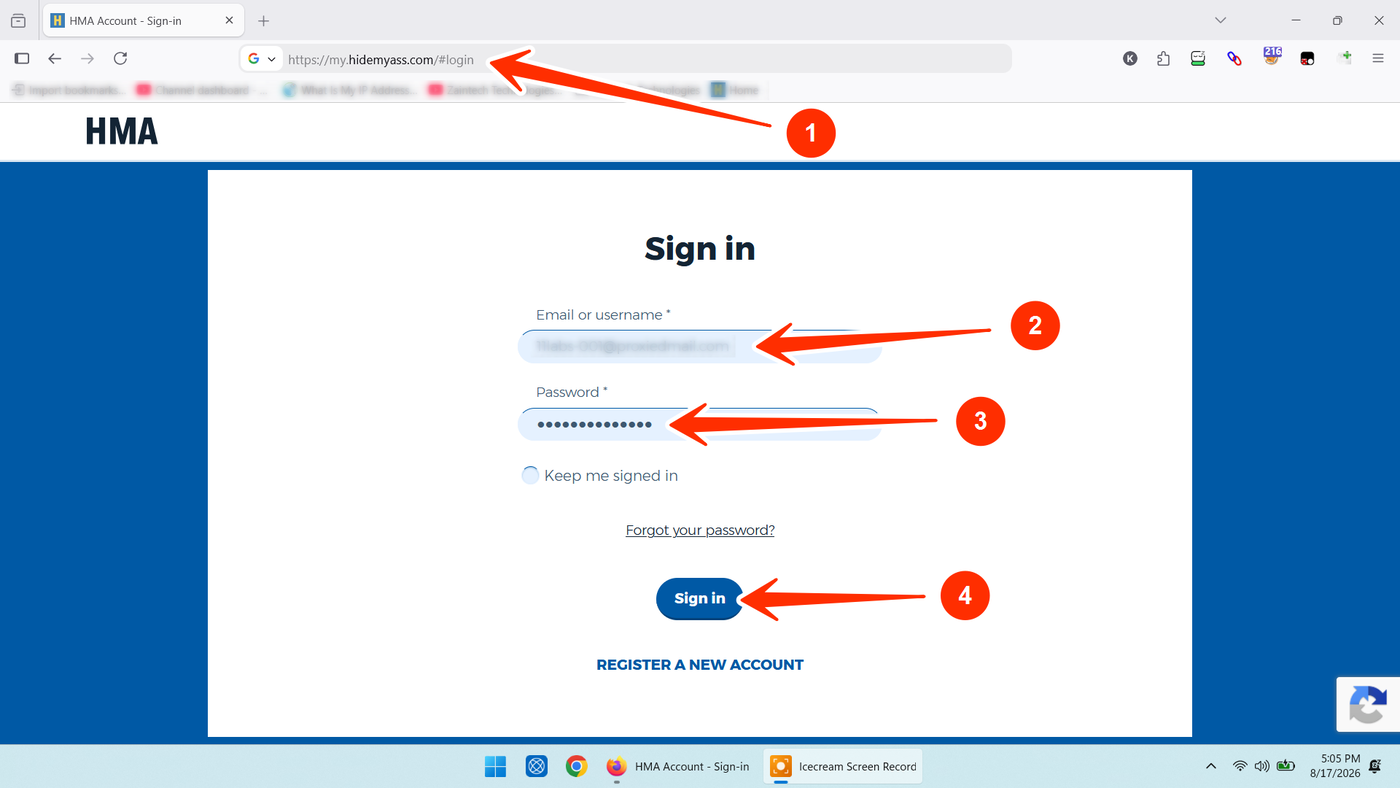
Step 1: Sign in to Your HMA Account
Open the official HMA login portal in your web browser:
https://my.hidemyass.com/#login
Enter your registered Email or username.
Enter your account Password.
Click the blue Sign in button.
Step 2: Access Your Account Dashboard
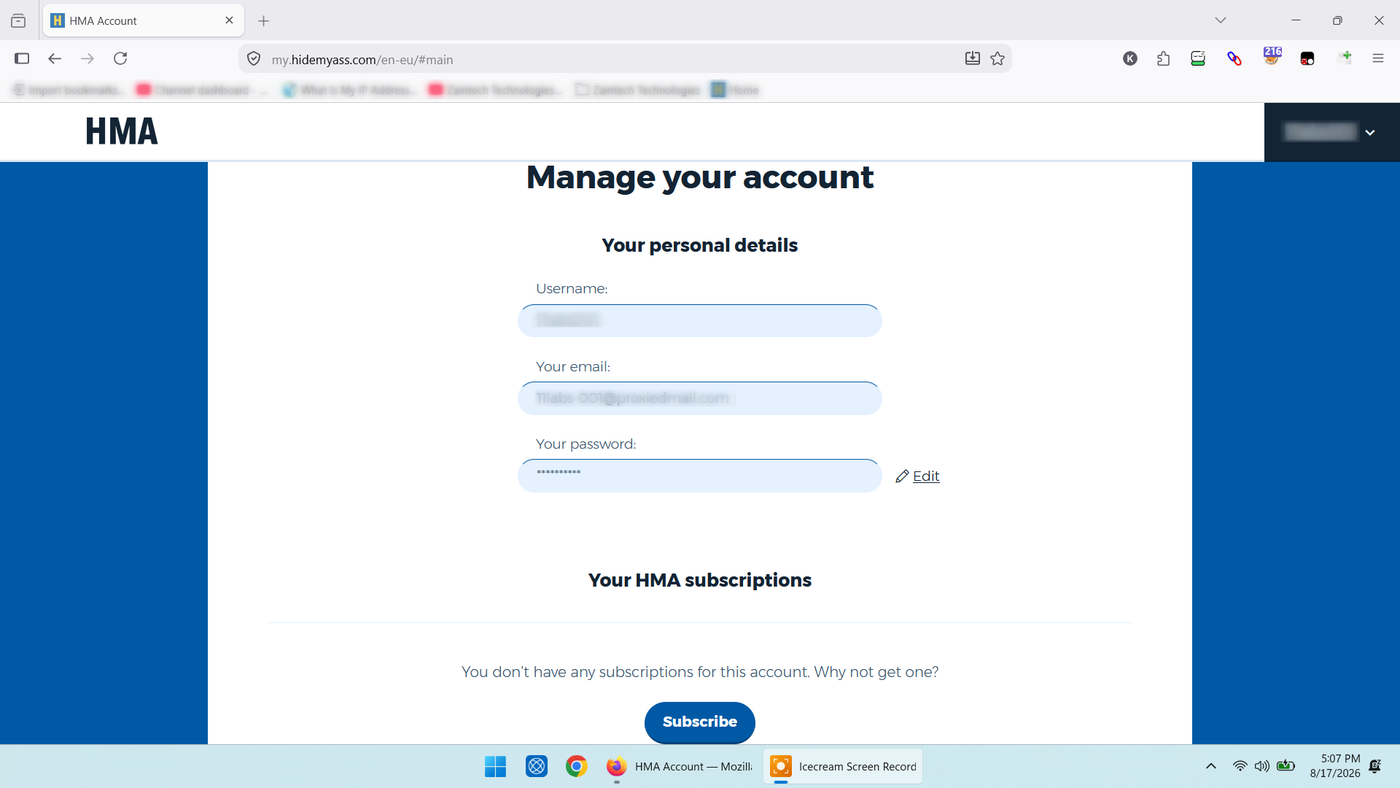
Once logged in, your personal account dashboard will display:
Your Username in the top-right corner.
Your personal account details (Username, Email, and Password) in the center.
Your current subscription status under Your HMA subscriptions (which will display "You don’t have any subscriptions for this account" if your plan is currently inactive or expired).
Step 3: Open the Code Redemption Page & Enter Activation Key
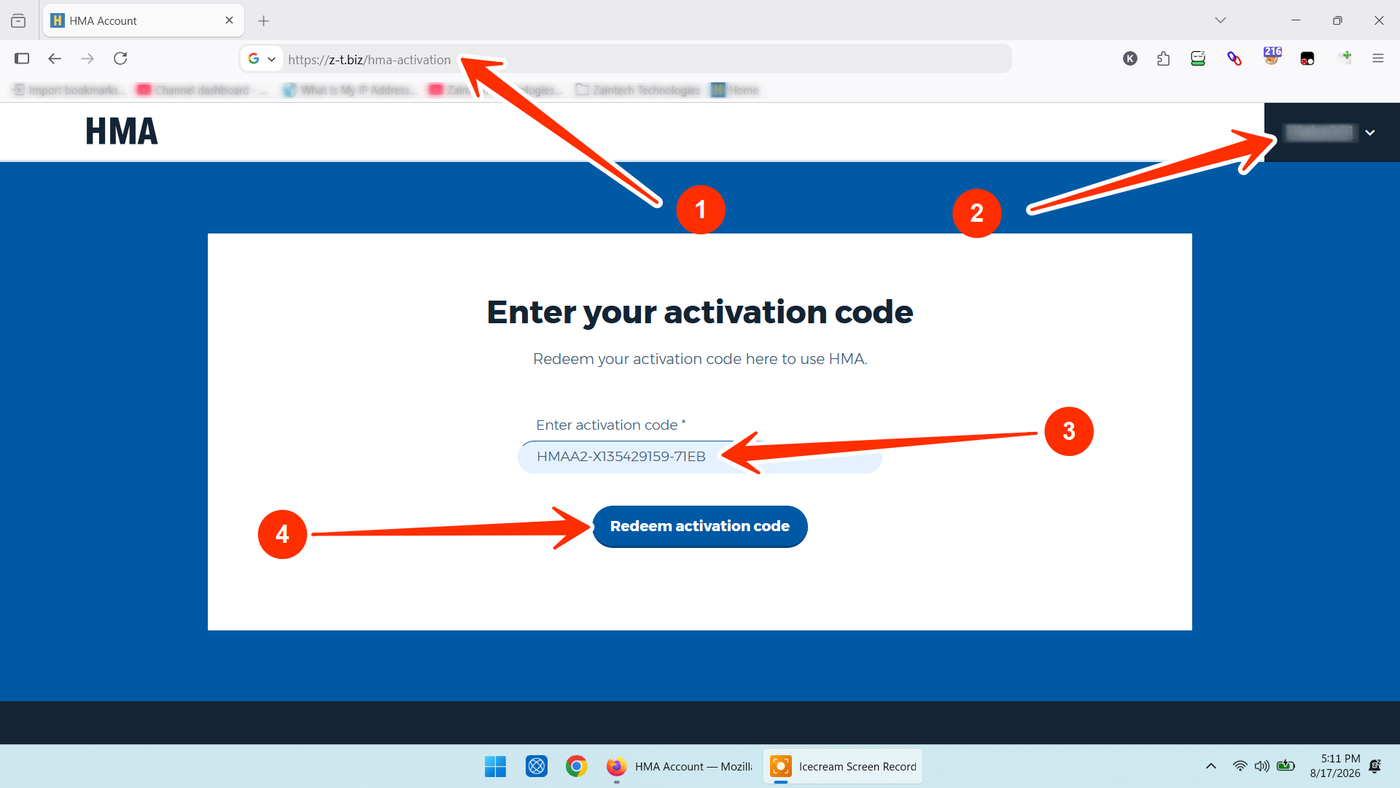
While remaining logged in to your account, open the official redemption page:
https://z-t.biz/hma-activation
Ensure your Username is visible in the top-right corner to confirm you are actively logged in.
In the Enter activation code field, paste your genuine license code received from your order.
Tip: Ensure there are no extra spaces before or after the code.
Click the blue Redeem activation code button.
Your subscription plan will immediately be added and linked to your HMA account.
Step 4: Sign in on Your Devices & Start Browsing
Once the key is redeemed:
Download or launch the HMA VPN application on your device (Windows, macOS, Android, or iOS).
Click Sign In / Log In inside the application.
Enter your HMA account Email/Username and Password.
The application will automatically detect your renewed subscription—click Connect to start securing your network traffic.
Need Help or Have Questions?
If you encounter any issues while signing in or redeeming your activation code, reach out directly with your Order ID:
WhatsApp Support: https://z-t.biz/whatsapp
Telegram Support: https://z-t.biz/telegram